Businesses & purposes
Businesses split your money between companies, clients or projects. Purposes (categories) explain what it was for and power budgets.
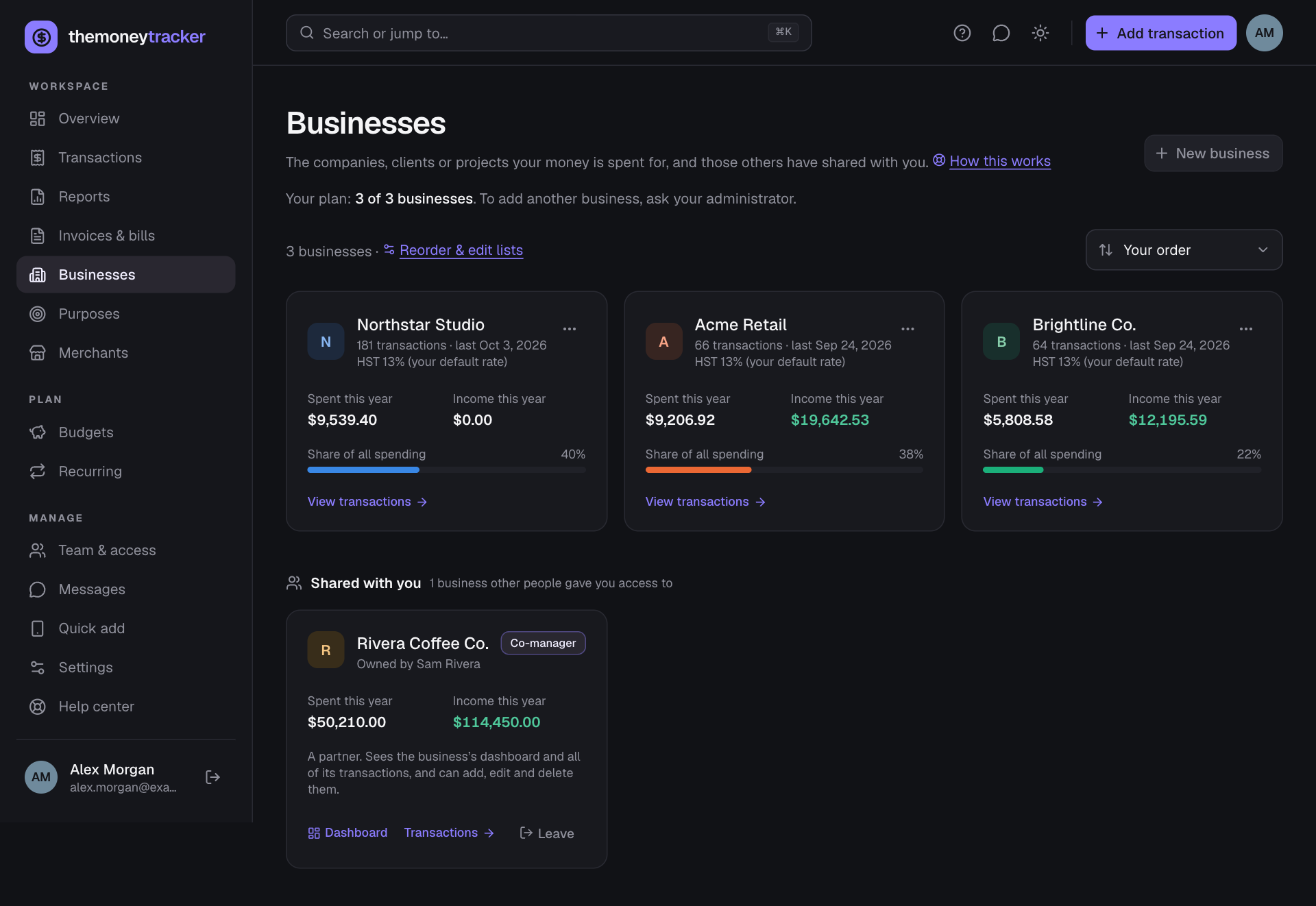
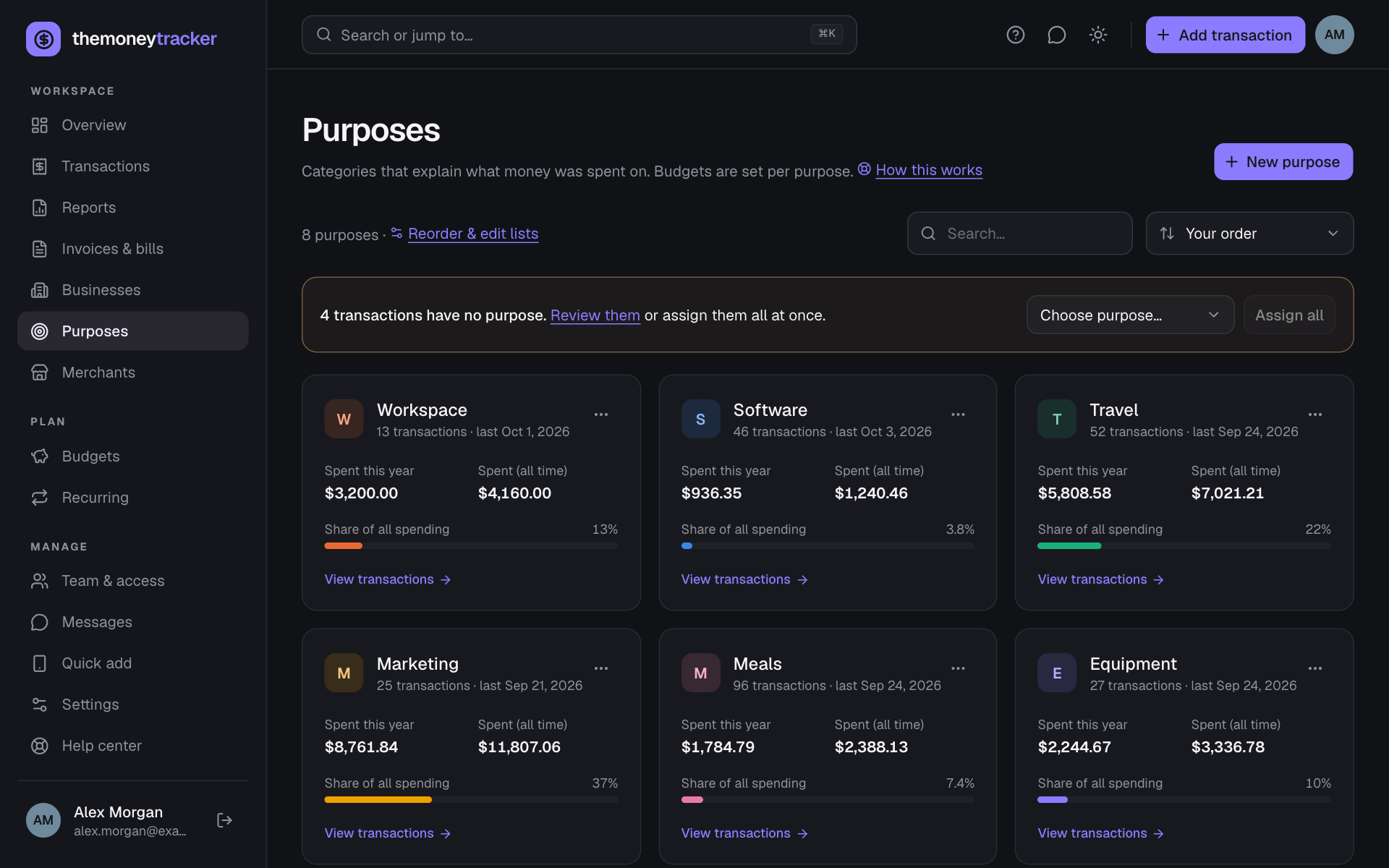
- Each card shows how many transactions use it and when it was last used, plus: for a business, its HST rate and what it spent and earned this year; for a purpose, what was spent on it this year and in total (or earned, for income purposes like “Client work”). Point at an amount for its HST split. The bar is its share of your spending. View transactions opens them.
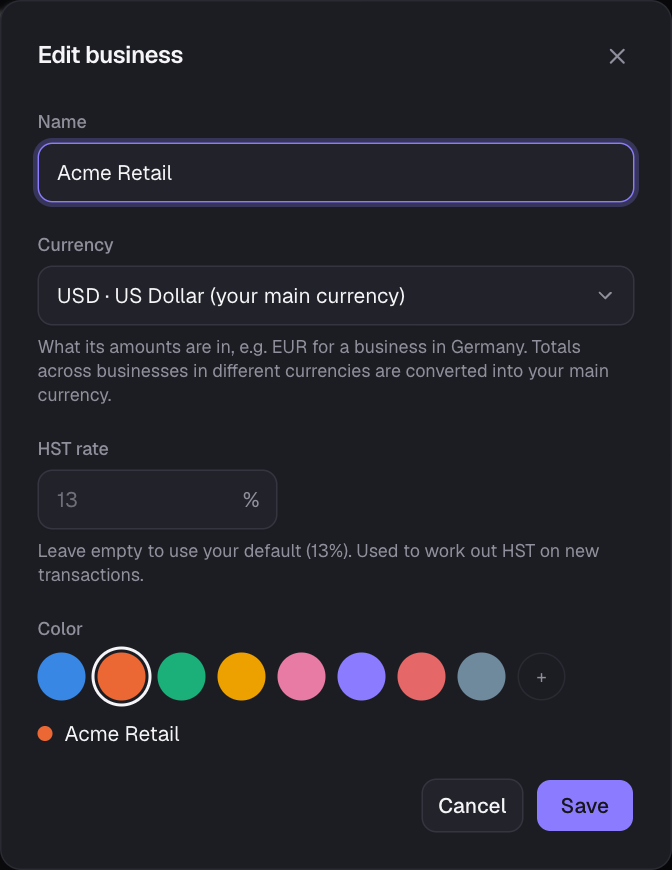
- New business / New purpose (top right) creates one with a name and color; businesses also get a currency (see Businesses in other countries) and an optional HST rate.
- Sort the cards by your order (the one set in Lists), spending this year or all time, income, most used, recently used or name. With more than six, a Search box appears too. Archived ones always come last.
- The ⋯ menu: Edit (name, currency, color, HST rate), Merge into… (another business in the same currency), Archive/Restore and Delete. See Lists for how these differ.
- If some transactions have no business or purpose, a banner lets you review them or Assign all to one in a click.
- Shared with you: businesses other people gave you access to, with the owner, your role and (for co-managers) their figures. Open their dashboard or transactions, or Leave.
Heads up: Deleting or archiving a business you’ve shared affects everyone with access: deleting removes their access (its transactions stay in your books without a business); archiving stops new entries. Merging moves the transactions but not the access; re-invite people to the business you keep.
Still stuck? See Troubleshooting, or contact the person who runs this site.